


End to end project;
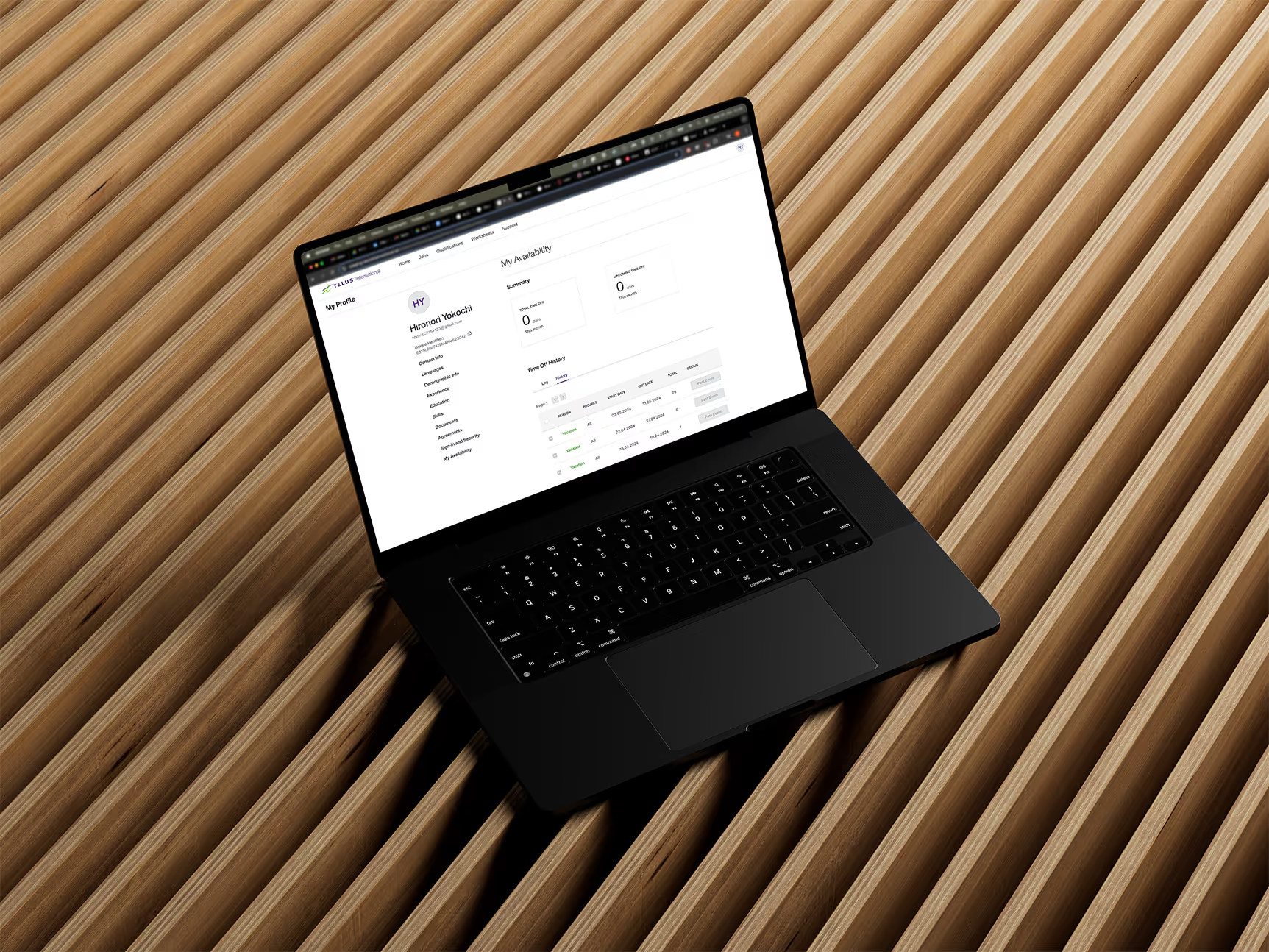

The beginning
At Telus Digital, I was part of the AI Data Solutions team, where I played a key role in developing the internal platform.I was approached by the product manager to tackle the urgent need from the production teams who were working on an high profile customer projects. The tools that were in use were outdated and soon became out of service, necessitating a quick new solution. I collaborated with a project manager to address this project.
UI/UX design, UX research, Wireframing, Prototyping, User flows
Figma, Google forms, Google Sheet, Adobe Illustrator
Process

Primary research
Insight gathering
User survey

Current state analysis
Future State mapping
Product conceptualizing
Technology Audit
Mid-Fidelity wireframes
High-Fidelity wireframes
Interactive Prototype
User Testing
QA Testing
Potential Next Step
A key challenge in this project was time constraints. Scheduling user interviews proved difficult due to the production team's diverse work schedules and time zones across different countries. To start our research, we conducted a survey to gather insights on their workflows, tools, and pain points.
Problems
The production teams handled extensive data collection for clients such as Google and Microsoft.
They encountered challenges due to increasing client demands and outdated tools that were set for deprecation. Additionally, in key areas of their workflow during project production, they depended on manual processes, which were susceptible to human error and inefficiency.
of teams relied heavily on manual spreadsheets for data, production tracking, and information. Even among the 20% who had partially automated the process, manual updates were still required.
of teams reported difficulties in sourcing project workers.
of teams reported difficulties maintaining or rehiring project workers.
Current state workflow
We mapped out the current workflow for each team, which helped us visualize the dependency on manual tasks.
The error-prone manual workflow areas are highlighted.

Production workers encountered difficulties as they had to manually update status changes, making the process tedious and time-consuming. The spreadsheet they were using served as the key information indicator for monitoring project progress and additional details, which meant that the critical processes of each project were operated manually, leading to errors and increased stress. Some projects involved over 10,000 workers on the tracker, necessitating constant switching between spreadsheets and other tools.
Current state tool count
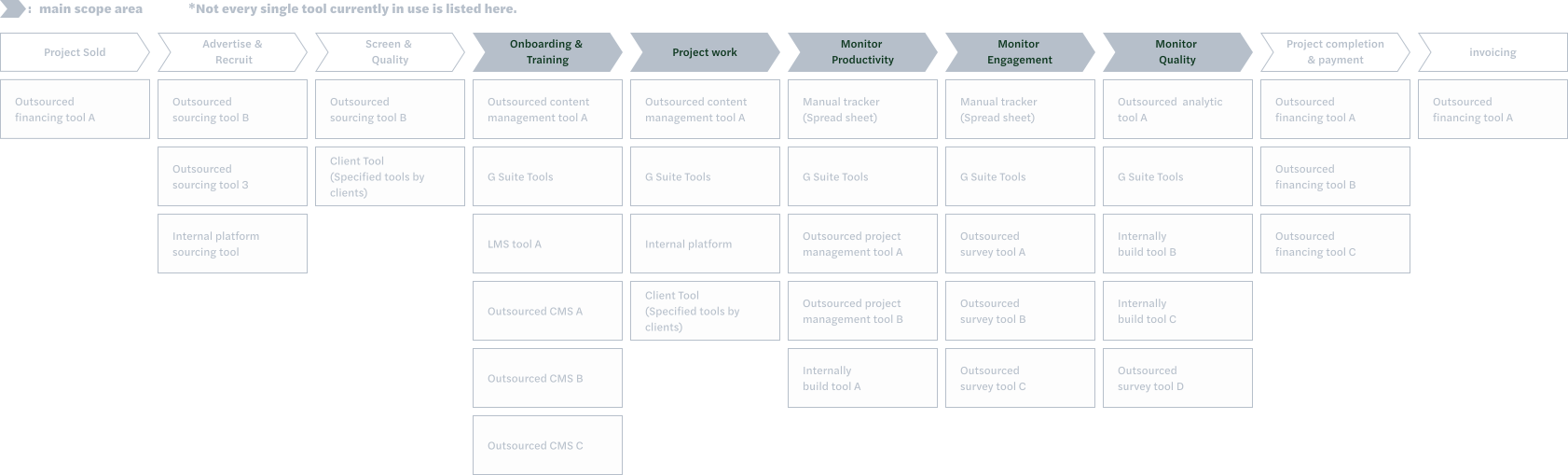
In addition to mapping the workflow, we evaluated the tools used by production teams, identifying around 52 unique tools across teams.
Many were duplicates or outdated. As customer demand increased, teams often added custom solutions, leading to overengineering and complex workflows that posed maintenance challenges.
of teams relied heavily on manual spreadsheets for data, production tracking, and information. Even among the 20% who had partially automated the process, manual updates were still required.
All teams tracked project workers manually using spreadsheets and emails, which often led to errors, overcomplicated workflows, and occasional delays.
Several teams had developed separate internal tools to address similar problems, duplicating effort and wasting resources.
Without real-time data sharing, teams couldn’t know if workers were already engaged. Some projects restricted workers from joining multiple projects, and many struggled to track the number of active workers.
Future state mapping
In addition to mapping the workflow, we evaluated the tools used by production teams, identifying around 52 unique tools across teams.
Many were duplicates or outdated. As customer demand increased, teams often added custom solutions, leading to overengineering and complex workflows that posed maintenance challenges.


With the workers' information stored on the platform, the production team can access a vast pool of potential candidates for recruitment when launching a new project. In the past, each team maintained its own database of past and current workers, which sometimes contained inaccurate or outdated contact information.
The communication and transition between the sourcing process and the production phase are seamless and real-time. Moreover, since the production teams do not need to manually input candidate data into the tracker, the information remains accurate, minimizing the risk of errors.
Eliminating redundant and duplicate tools while automating key workflows reduces the need to switch between tools, thereby boosting productivity and lowering production costs across teams.
From the workers' perspective, registering on the platform grants them access to job postings from various projects within TELUS Digital. This facilitates their search for new projects after completing their current work, aiding in worker retention and enhancing project expertise.
Product Design
To accurately show worker status, we set up a system for tracking workers’ availability. I collaborated with the project manager to create 'My Availability', a platform where workers can submit advance notice of unavailability or resignation from a project.
Previously, the counts of active workers were not consistently tracked. Absences were typically reported via email, a method that was prone to inaccuracies and miscommunication.
By establishing a hub where project workers could directly submit their unavailability or resignations, we empowered them with greater agency and control.
Automated updates to the production tracker ensured data accuracy, provided transparency for the production team, and eliminated unnecessary manual tasks.
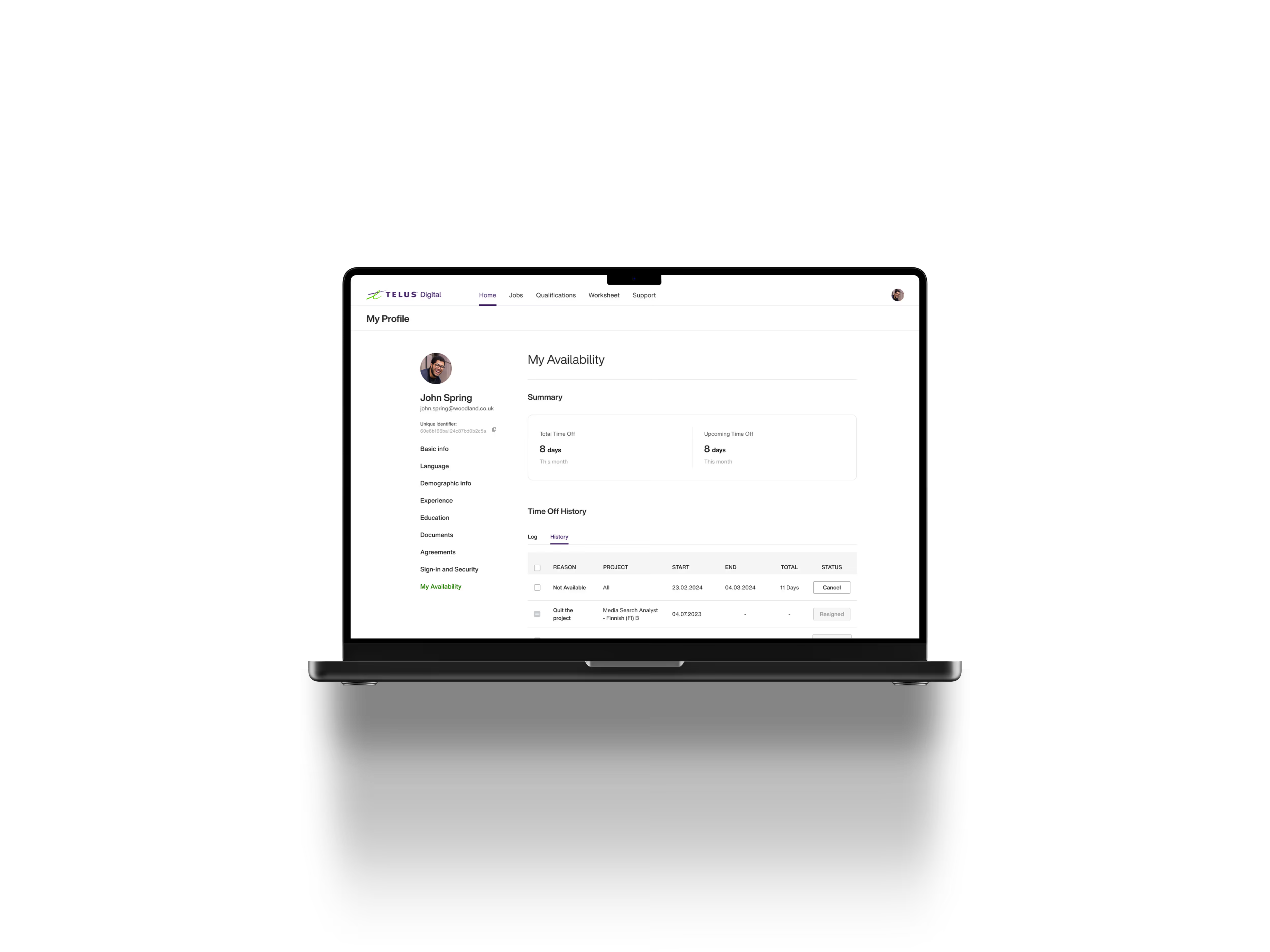
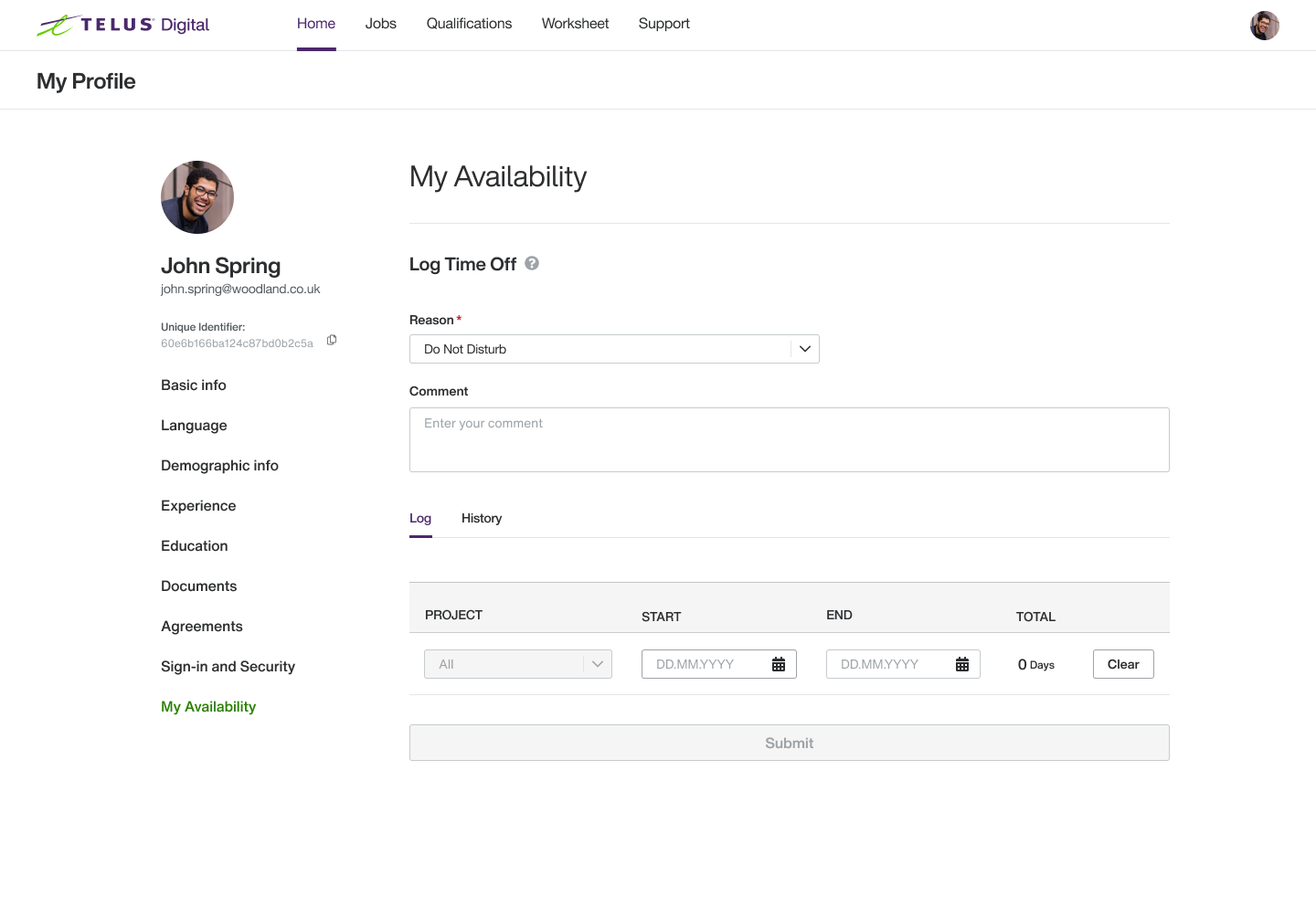
Project workers can submit unavailability or resignations (in advance or same-day), view their history, and cancel future entries.
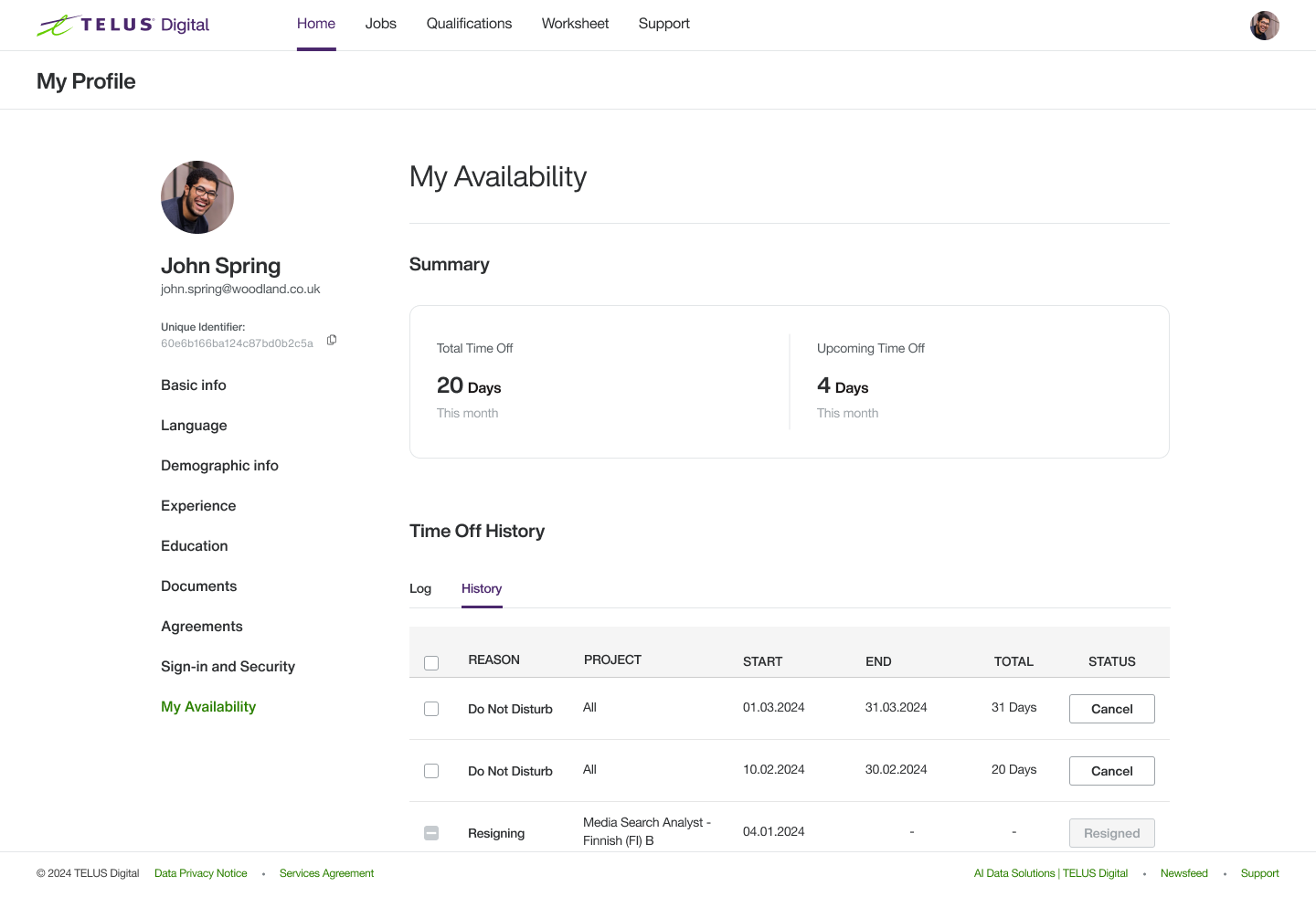
How it helps: Gives workers control and clarity over their commitments, while reducing miscommunication compared to email.
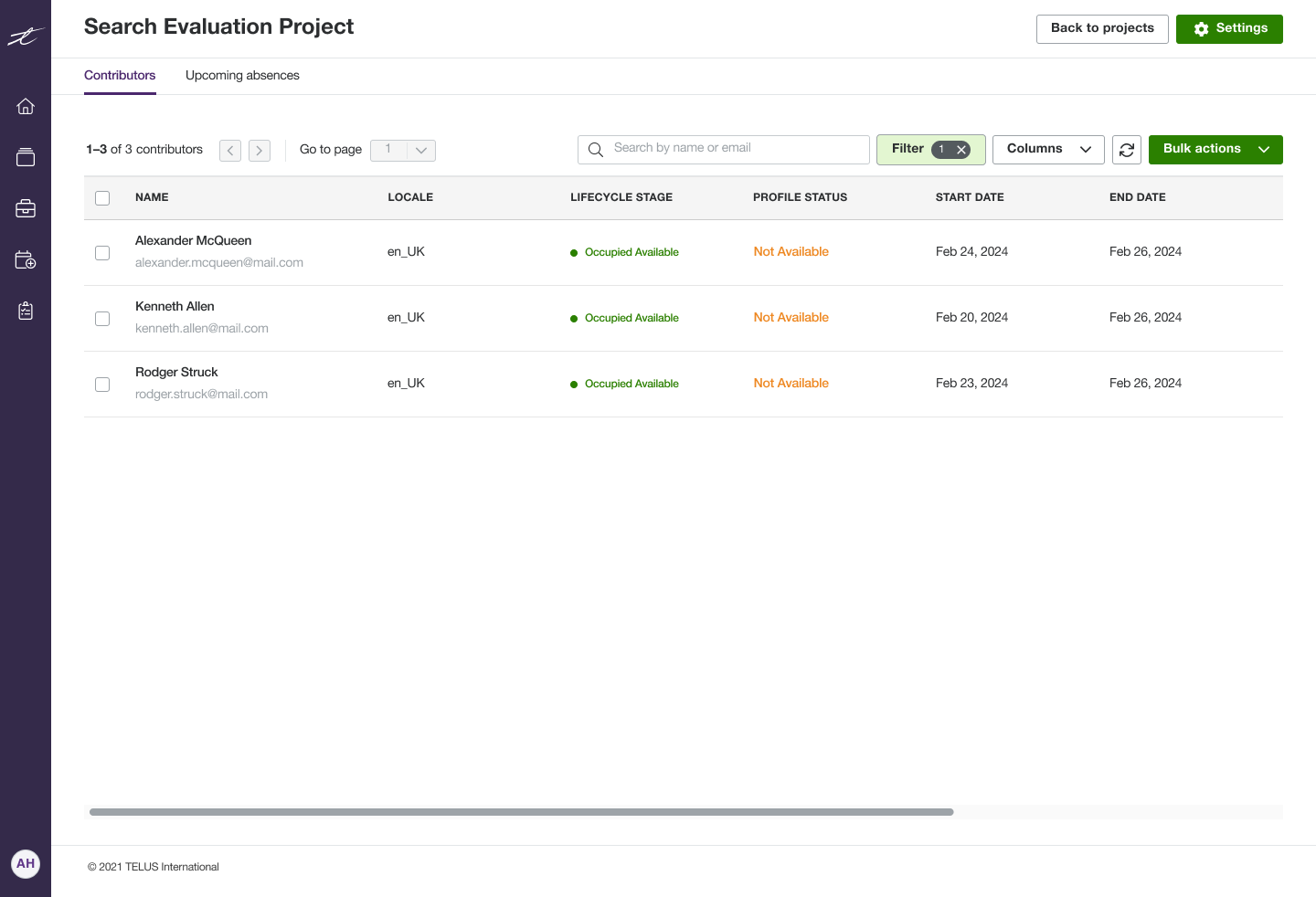
The submitted absences and resignations are automatically reflected and visible to production teams, ensuring they have real-time visibility, reducing miscommunication, and aiding in project velocity forecasting.
I developed the Production Tracker MVP by identifying essential information required for project initiation and completion. After consulting with the production team and analyzing feedback from the project manager, we introduced several automated status types to streamline the process.
- The introduced status types indicate:
- Whether a contributor is assigned to another project or available for a new one.
- Whether a contributor is actively working or absent.
- The contributor’s current situation within the project.
The production tracker served as a single source of truth for project teams, showing real-time worker status, availability, and profiles with customizable views.
Automated updates and critical status-triggered actions ensured data accuracy, reduced manual work, and increased efficiency.
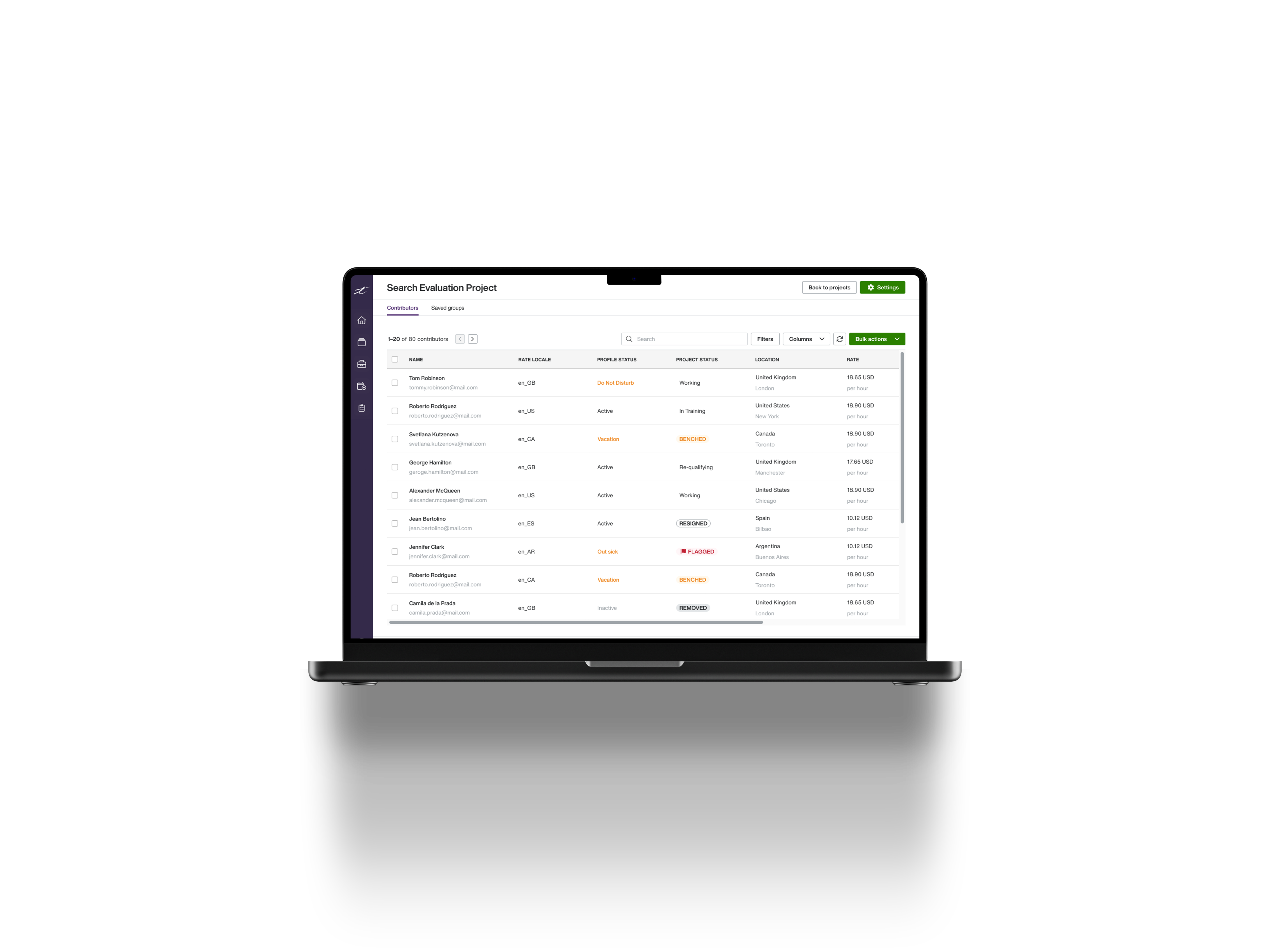

Users can choose which columns are visible for each project. The data columns we included were based on the manual tracker used by production teams.
How it helps: It enhances efficiency by customizing the tracker to meet each team’s needs.
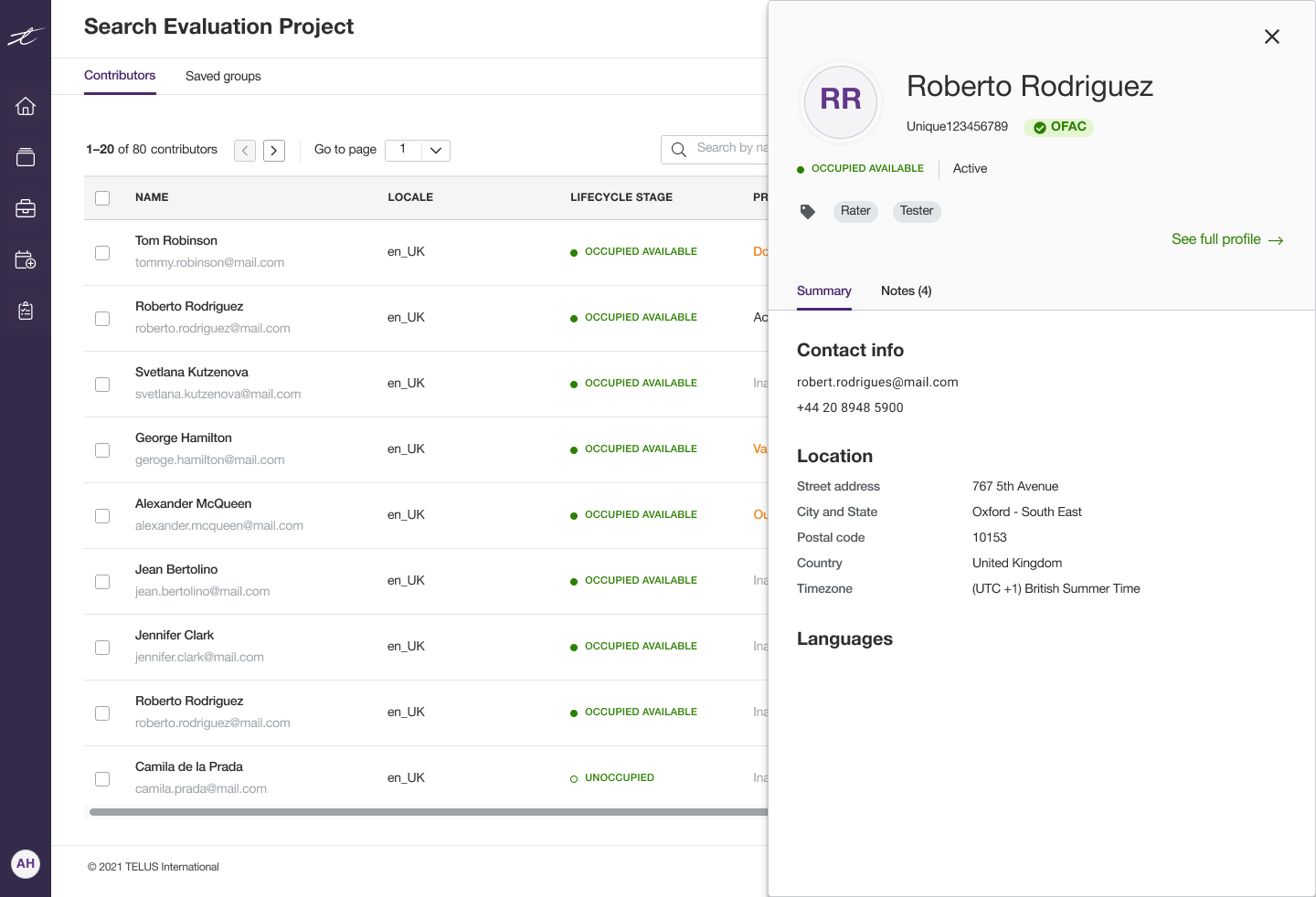
Worker Profile Transparency: Users can have quick access to summarized profile information of each worker.
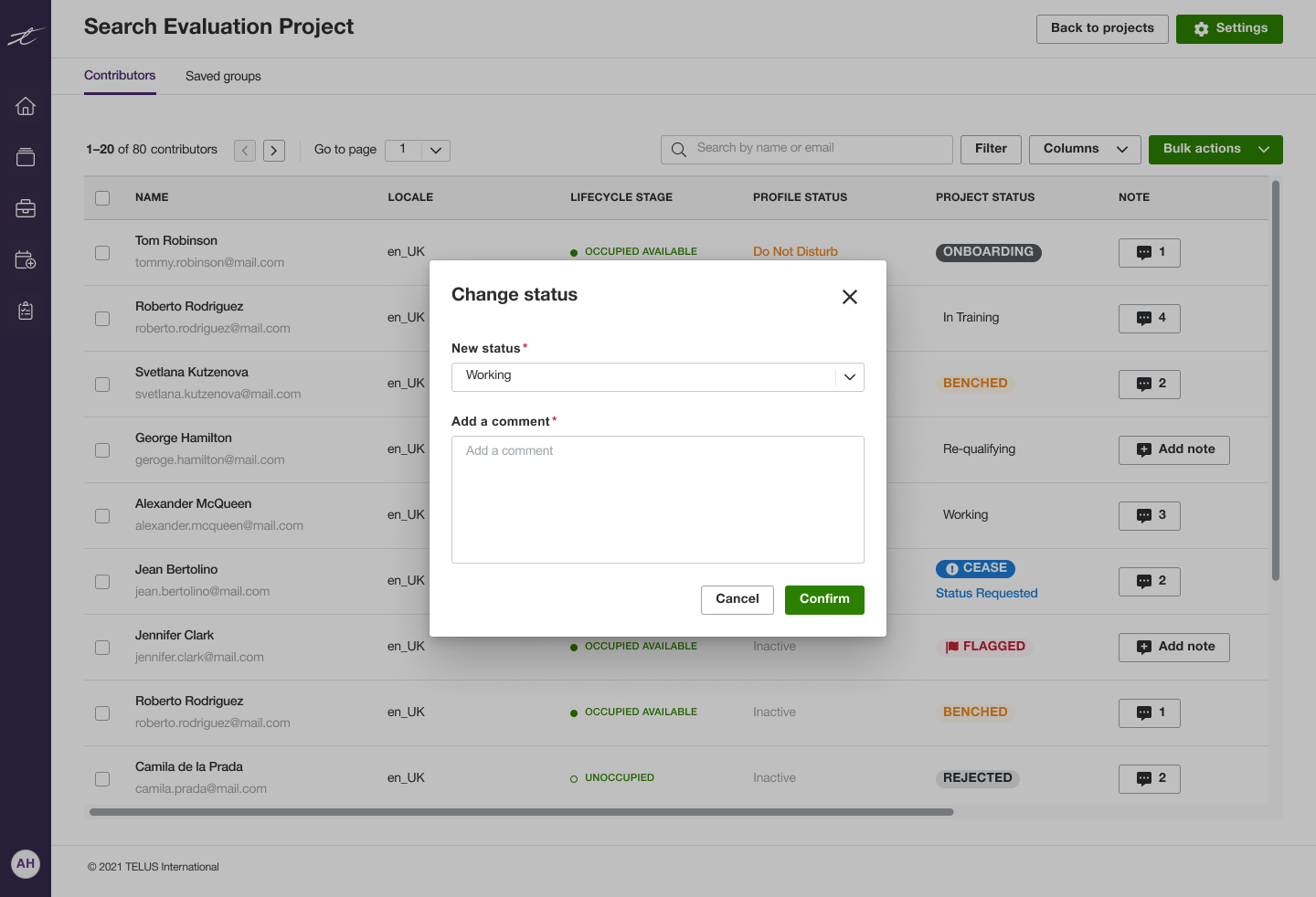
Status Management: Users can update worker statuses, and critical statuses (e.g., flagged or ceased) trigger automated actions.
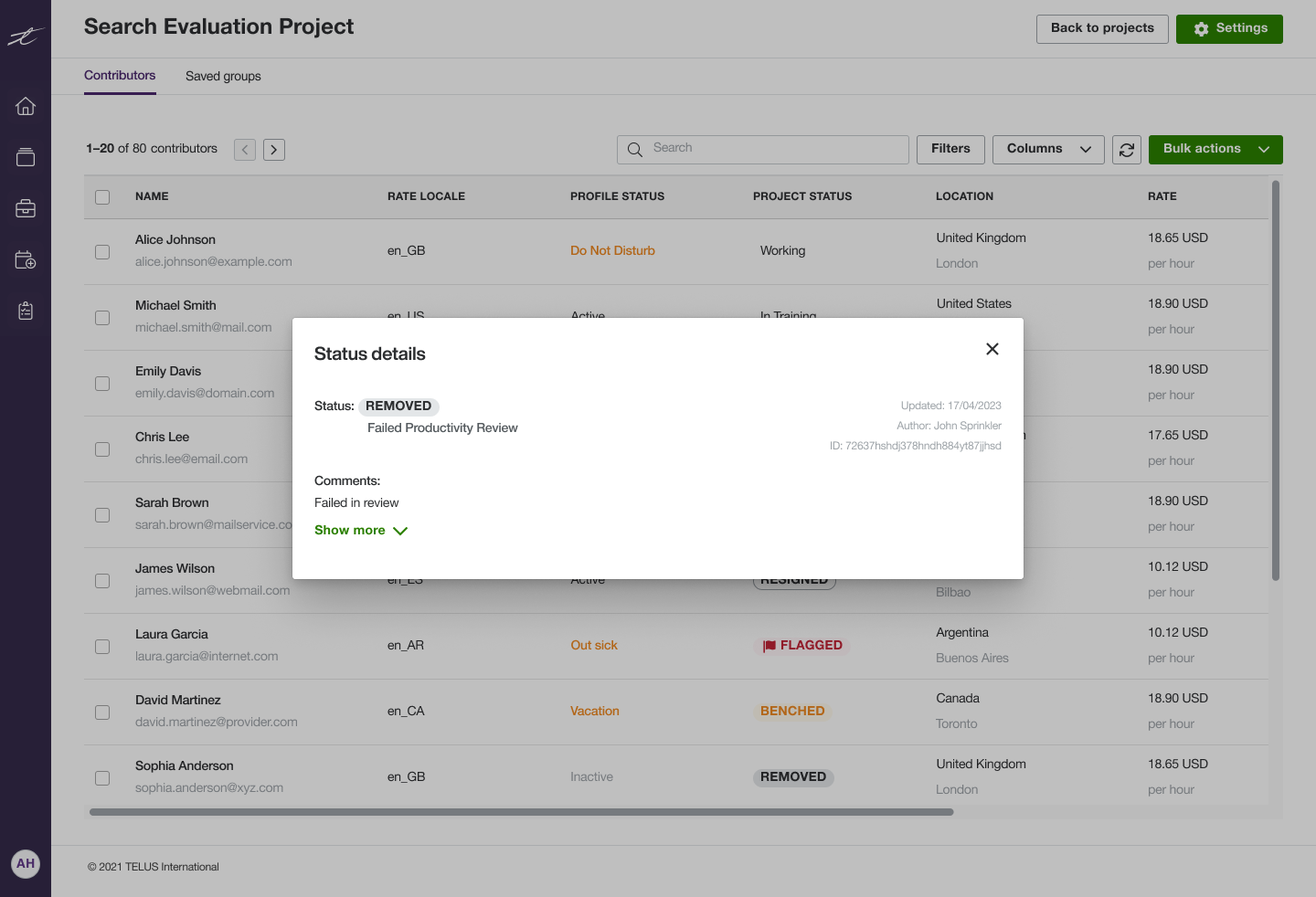
Worker Status History: This feature enhances documentation and communication among team members, ensuring accountability in critical situations.
Challenges
The initiative was urgent, and we needed to release the MVP quickly. After several feedback sessions, we had limited time to iterate or add new functionalities.
To manage this, we leveraged the fact that the platform was for internal use and prioritized delivering a solid base tool first. We released the core functionality early and then added refined features and improvements in subsequent updates.
This approach allowed us to meet the deadline while still improving the product through continuous iteration.
One benefit of this approach was that the production team utilized the MVP in actual project work, enabling them to offer more informed, practical, and honest feedback. Such insights would have been challenging to obtain through feedback sessions alone. Based on the feedback we received, I began to refine and add new features to the Production Tracker and My Availability.
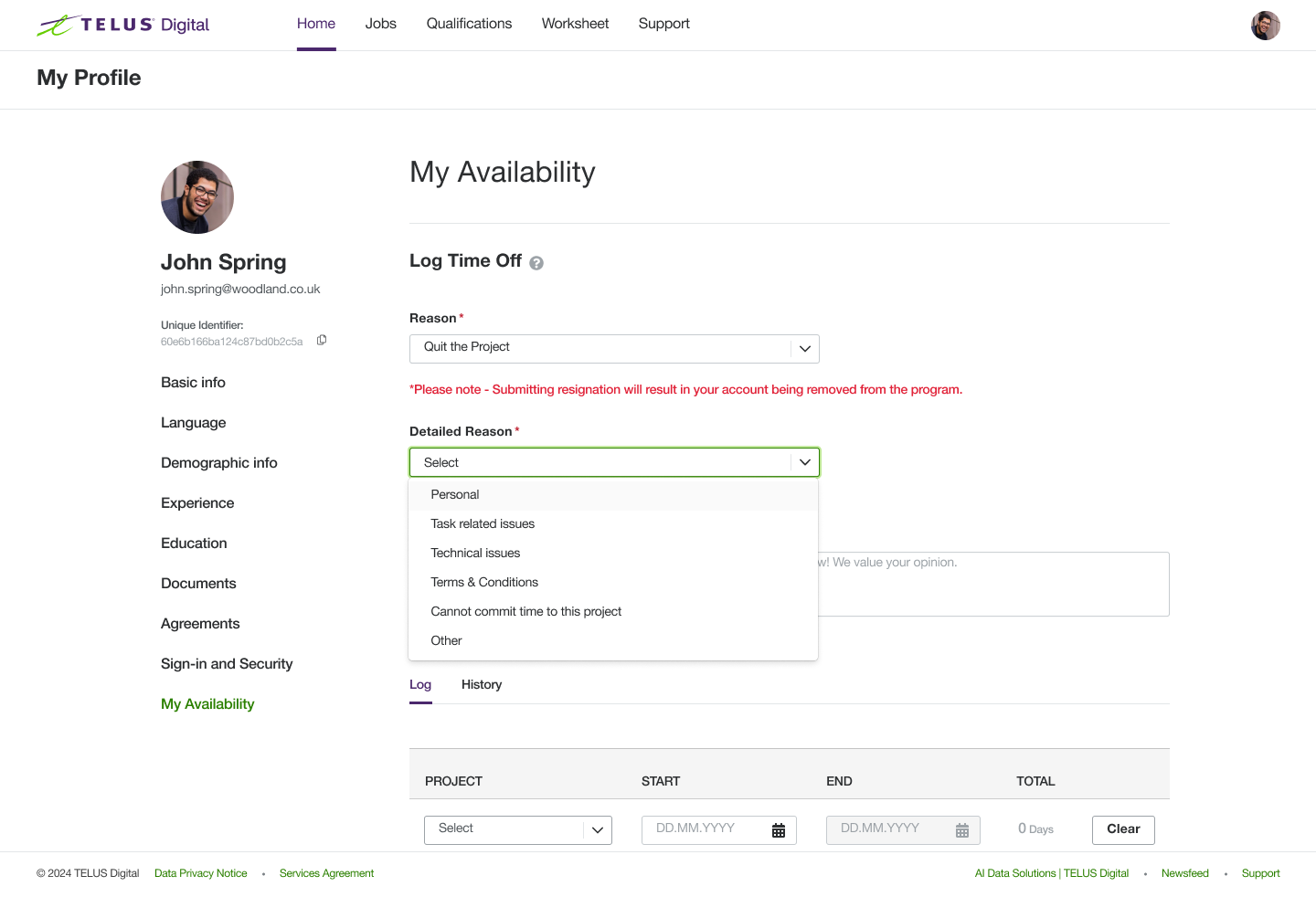
Refined the selectable time-off options from four to two and adjusted the wording for clarity (e.g., changing "Resigning" to "Quit the Project"). The reasoning was to enhance clarity and minimize any discomfort users might feel about disclosing too much information. The production team did not need to know the specific reasons behind a worker's request for time off.
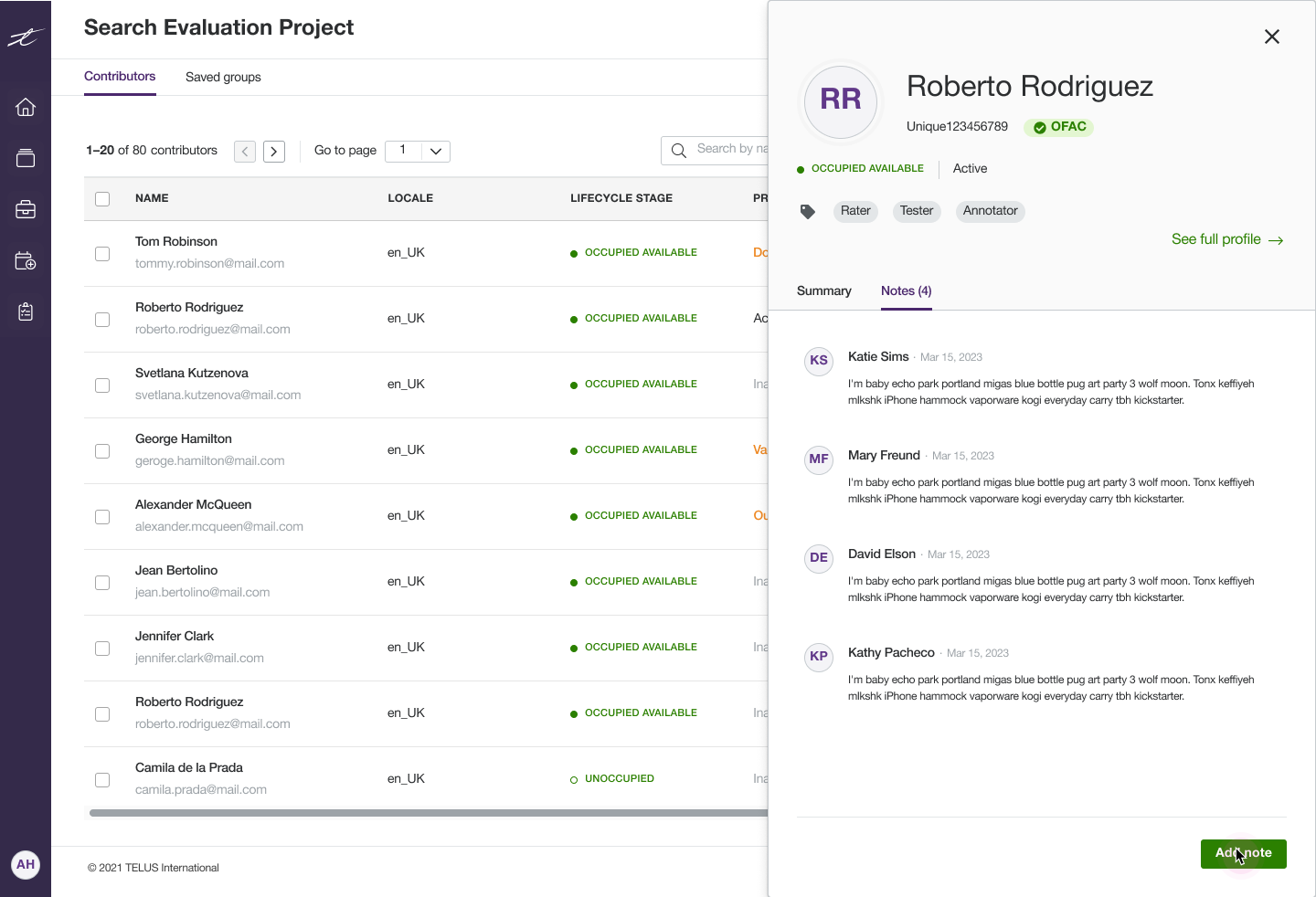
A comment/note function has been added to the Production Tracker, allowing the production team to leave notes about the workers. This enhancement aims to improve inter-team communication.
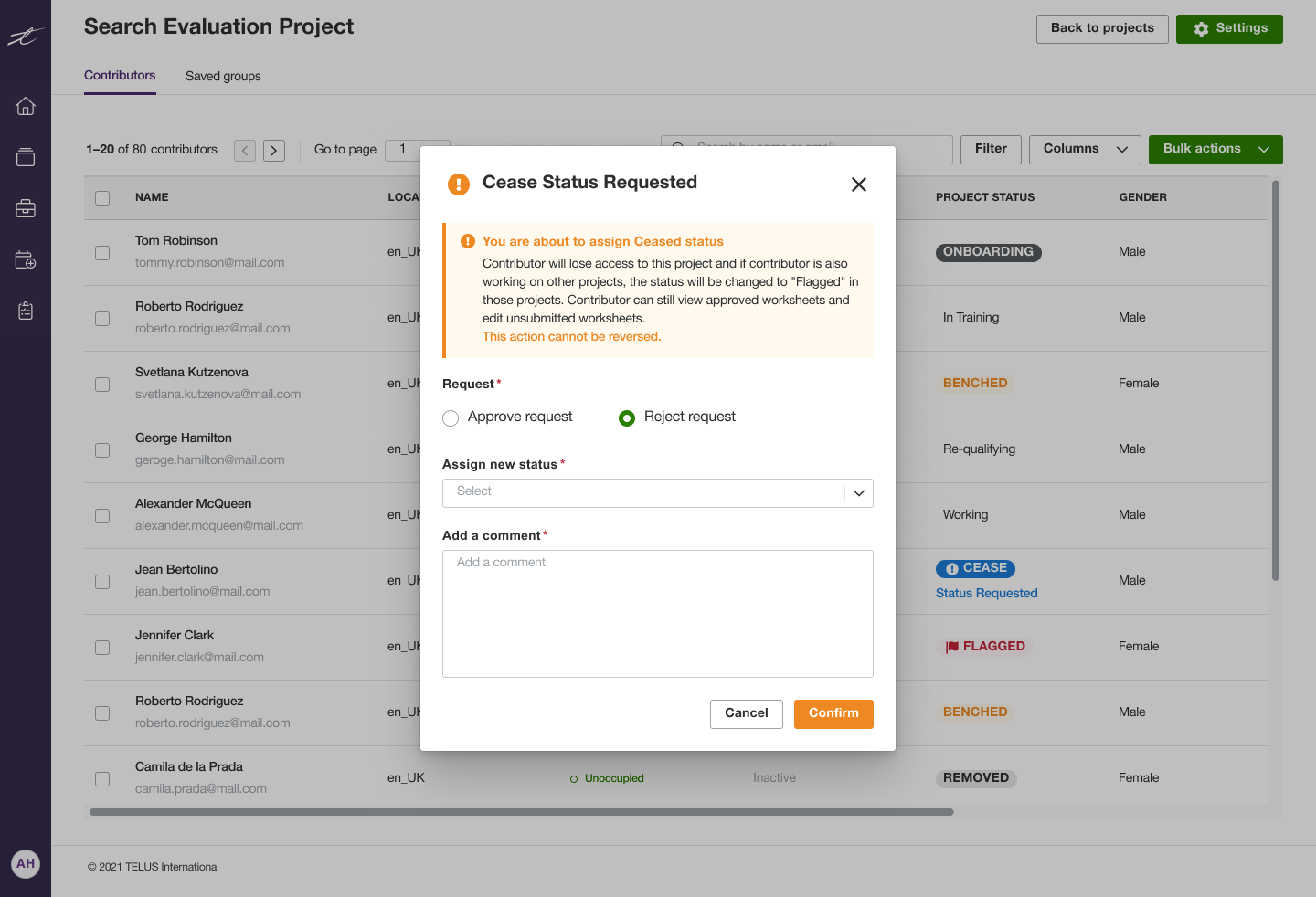
When changing a worker’s status to a critical one, such as removing them from a project, a confirmation from a production team member with higher access rights is required. This additional step ensures that only authorized users can approve sensitive status changes, preventing mistakes like unintentionally removing a worker from a project.
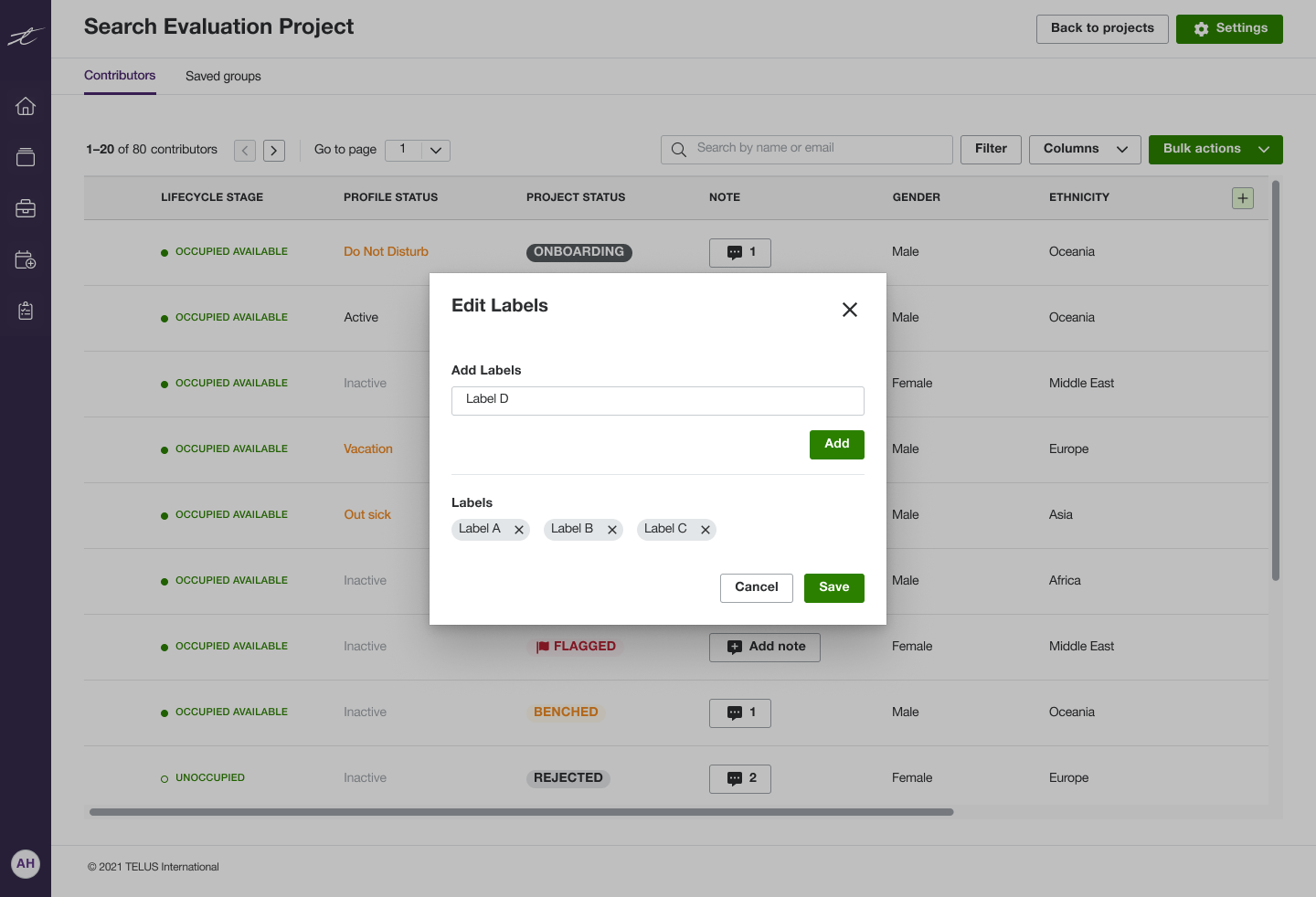
We added customizable columns, allowing users to create their own labels and column types. These columns do not trigger automated functionality, but they provide greater flexibility for production teams who rely on specific datasets. This enhancement increased the versatility of the Production Tracker.
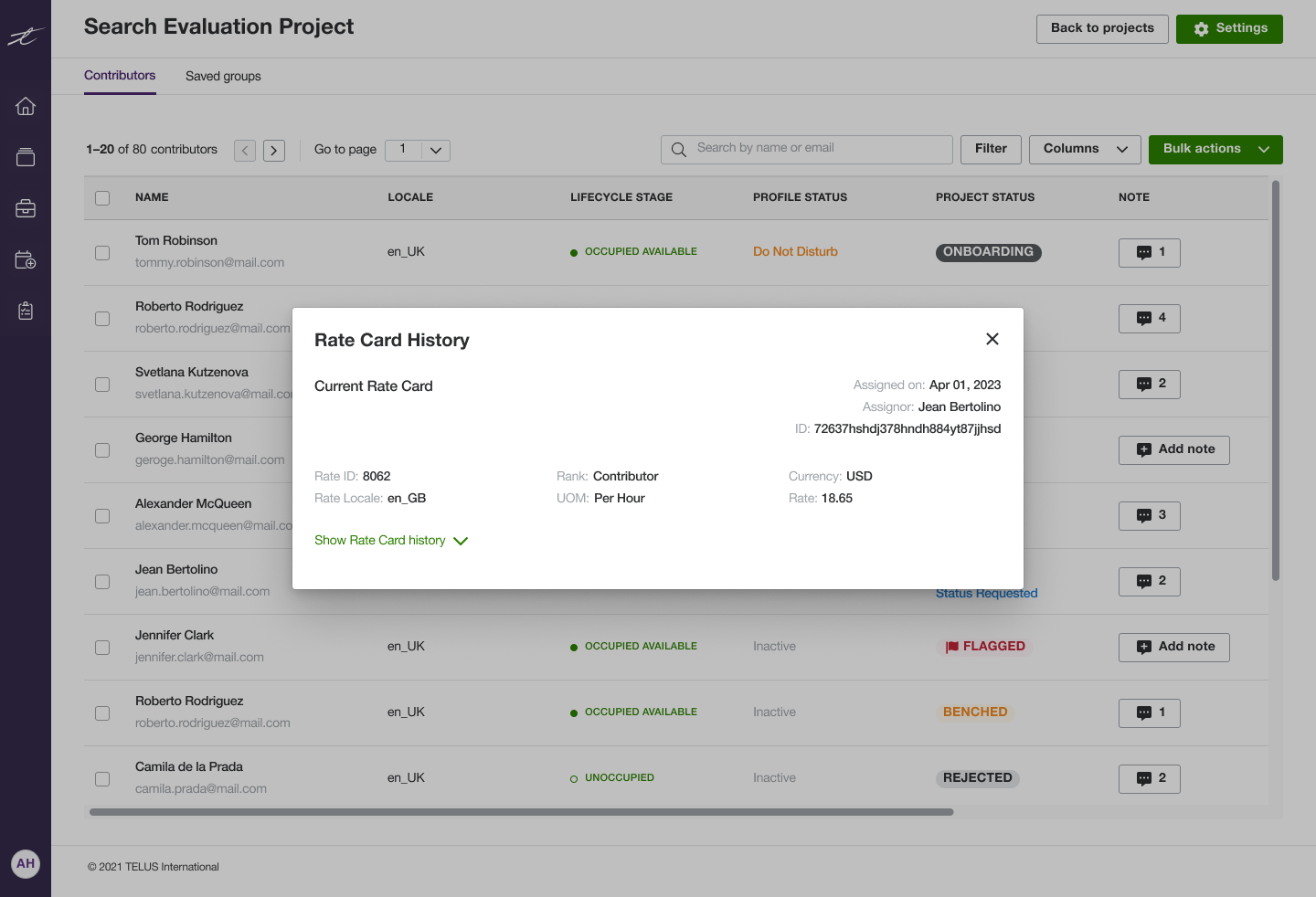
We added a payment rate history feature, allowing the production team to see each worker’s past payment rates. This supports documentation and improves accuracy in production cost calculations.
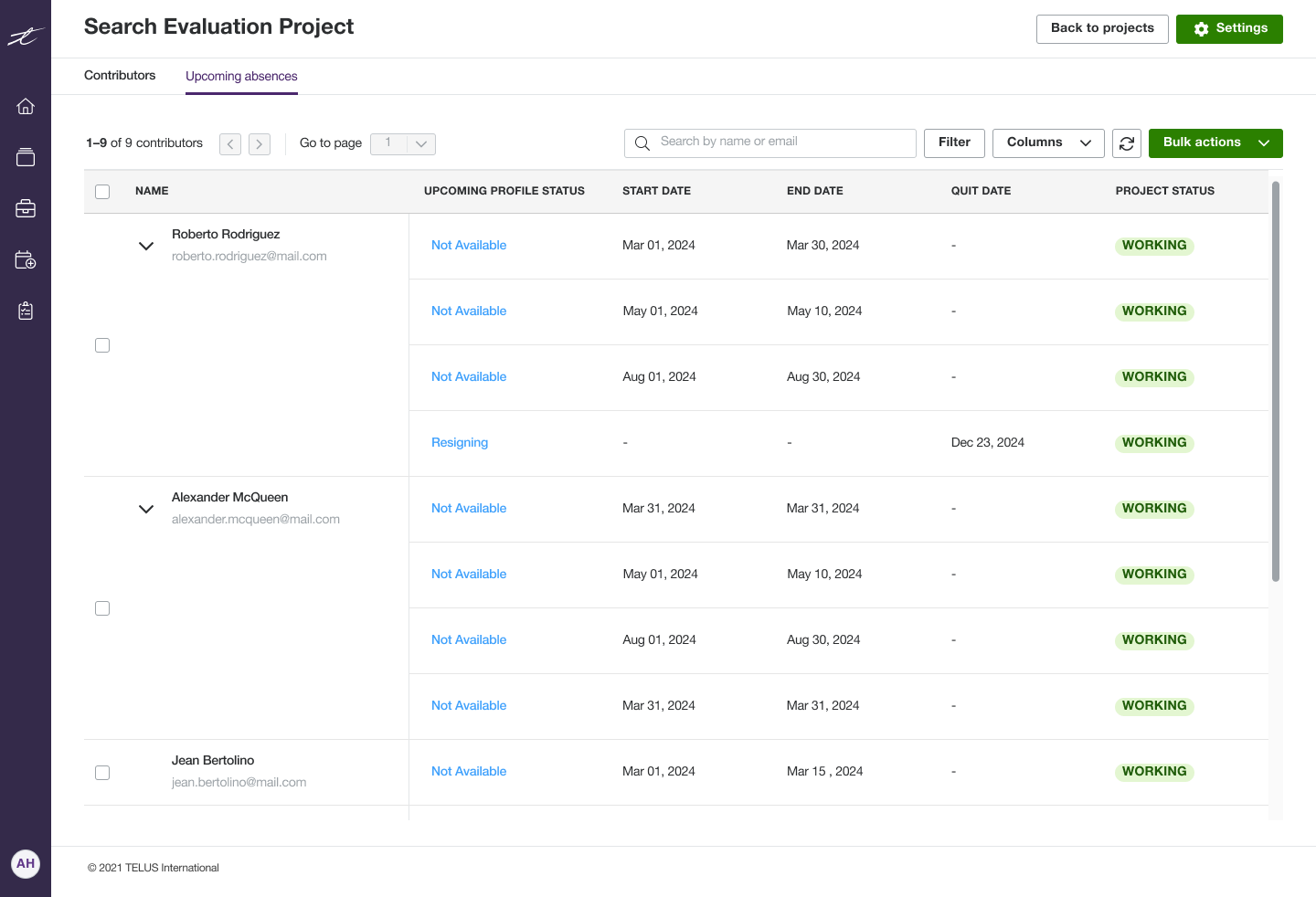
We added a separate tab in the Production Tracker where the production team can view upcoming resignations and scheduled absences for workers in a project. This allows users to see how many workers will be unavailable in advance, helping them make more accurate project velocity forecasts.
Impact & What I Learned
As a result of this initiative, we drastically reduced the number of tools used by the production teams and improved their productivity by simplifying their workflow, which was estimated to save around $1M in production costs annually and enhanced revenue through improved efficiency.
By centralizing worker and project data within the internal platform instead of relying on various third-party tools or manually maintained spreadsheets, the data became more manageable, accurate, and secure.
Unique Tools
Unique Tools
Since the beginning of this project, it evolved into a long-term initiative even after the initial MVP release. It provided me with valuable experience in designing for the same product over an extended period, continuously iterating and incorporating feedback and requests from stakeholders. It also offered the opportunity to collaborate with talented colleagues across different countries.
The project challenged me to work under time pressure, adapt to changes quickly, and rapidly create wireframes and prototypes while leveraging the design system.
Overall, it taught me that design is not only about creating Dribbble-ready visuals, but about building truly useful products for users while maintaining brand-accurate visual identities.
Let’s work together
I specialize in digital product design, user interface and user experience, and collaborative product development for SaaS and B2C digital products. I believe design is about weaving human kindness into products and creating experiences that are intuitive, accessible, and meaningful.
Outside of work, I enjoy drawing, video games, tabletop RPGs, observing the cryptic behavior of my cats, and sculpting strange little monsters.
If you think I would be a good fit for your organization or have a project you’d like to collaborate on, please don’t hesitate to contact me!